
Church roles: what admins, pastors, office staff and leads can do
In Martha, sit, what someone can do depends on their Church role. Most team members don’t need one. Give someone a church role when you want them to help arrange serving or look after team members. One person can have several.
The church roles
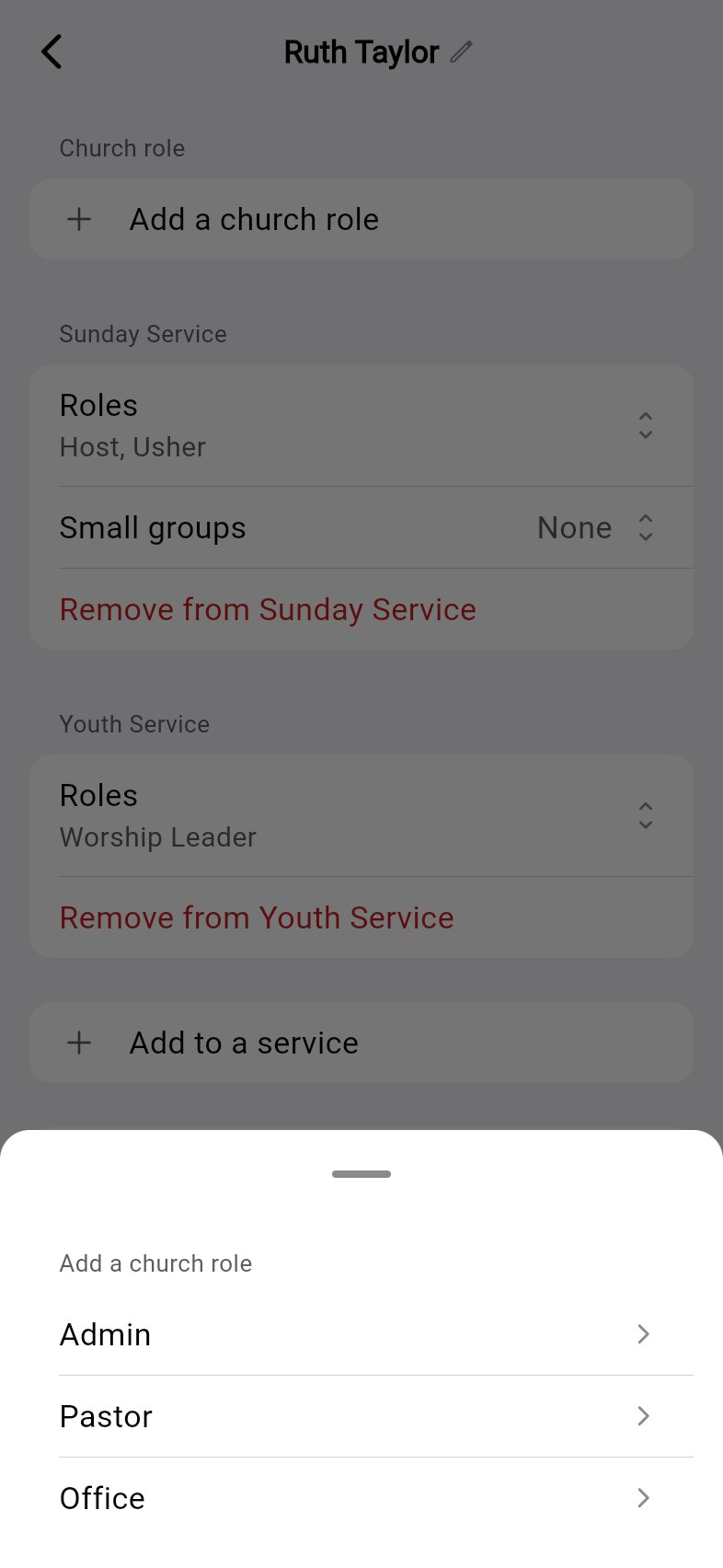
- Admin: Gives church roles, changes the church’s settings, and removes team members from the church. An admin can also do whatever the other roles can.
- Pastor: When you give it, you pick Pastor of. Pick Whole church, and they’re the same as an admin. Pick services, and they’re a lead of those services.
- Office: Arranges every schedule, for services and events, edits every event on the Calendar, and sees all attendance. They can also change the name, services, roles and small groups of any team member who isn’t an admin. They can’t give church roles, remove team members, or change settings.
- Service lead: Arranges that service’s schedule, changes who is on the lists for its roles, adds and removes its team members, and can add small groups to it.
- Ministry lead: Adds and edits the ministry’s events on the Calendar, and arranges their schedules. For example, the decorating team lead.
- Role lead: Arranges just one role in one service, like Photography in Sunday Service, and can change who is on its list. They can’t arrange events.
- Small group leader: Adds and removes the group’s team members, sets when it meets, and fills in attendance.
Admin, Pastor and Office are given on a team member’s page. Leads and small group leaders are assigned on the page of what they lead.
Give Admin, Pastor or Office
- Go to Settings → Team members and tap a team member.
- Under Church role, tap Add a church role, then pick Admin, Pastor, or Office.
- If you picked Pastor, pick Pastor of next: Whole church, or one service. For several services, add Pastor again and pick another service.
Assign leads and small group leaders
- Service lead: Go to Settings → Services & ministries, open the service, and under Leads, tap Assign a lead.
- Ministry lead: Open the ministry’s page and tap Assign a lead there too.
- Role lead: On a service’s page, tap Roles, then a role, like Slides. At the top, under Leads, tap Assign a lead. They arrange Slides in that service only. Slides in another service needs its own lead.
- Small group leader: Open the small group’s page, tap Assign a leader under Small group leader, and pick a team member. For more than one, tap Add another leader. A service’s leads and pastors can also assign the leaders of its small groups.
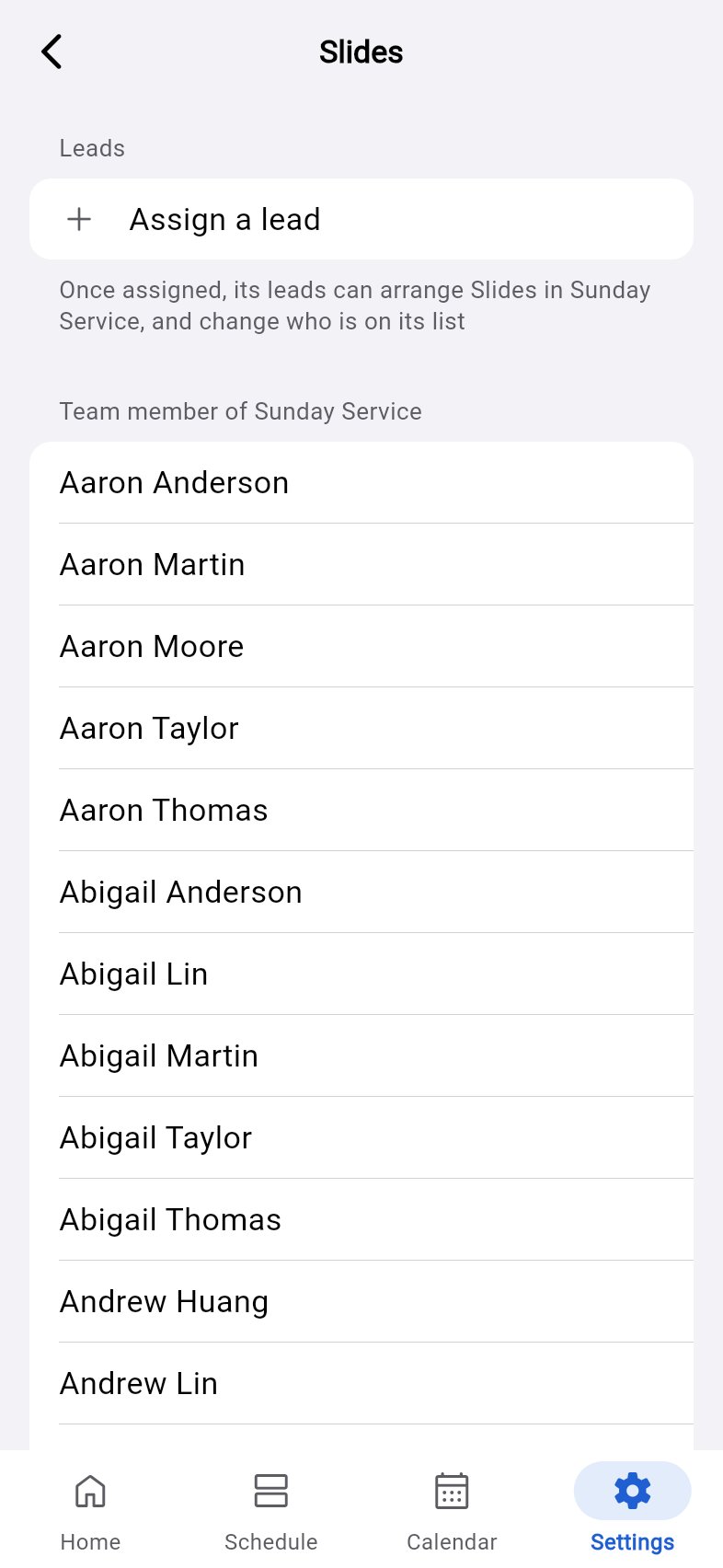
A service, ministry or role can have several leads, all with the same permissions: tap Add another lead. For what they do once assigned, see Leads: add team members and arrange the serving you lead and Small group leaders: set when you meet and fill in attendance.
Take a role away
- On a team member’s page, under Church role, tap Remove next to it. Leads and small group leaders are listed here too, and can be removed the same way.
- On a service’s, ministry’s or role’s page, tap Remove next to a lead. For anyone marked Pastor there, change it on their team member page.
- On a small group’s page, tap Remove next to a leader.
Tapped it by mistake? Tap Undo to bring it back.
On your own page, you can’t remove the last church role that makes you an admin (Admin or Whole church pastor). To hand it over, give the other person Admin first, then ask them to remove yours.